 KABCARE
Online consultations
Choose an available doctor, confirm your appointment, and join the visit from your device.
KABCARE for patients
Book appointments, meet a doctor online, follow lab and pharmacy requests, manage family care, and use eligible company coverage from one secure account.
Care in one place
Available services depend on your location, provider availability, payment method, and any active company coverage.
Choose an available doctor, confirm your appointment, and join the visit from your device.
Request eligible nursing, clinician, sample collection, or follow-up services at home.
Follow a doctor's test request, available collection options, results, and next steps.
Continue eligible prescriptions with a connected pharmacy and track fulfillment updates.
Receive guidance when your care needs an in-person facility or a higher level of support.
Manage supported care journeys for eligible family members from your patient account.
Review available appointments, requests, prescriptions, results, and care updates.
Use eligible employer-sponsored coverage after your company assigns your membership.
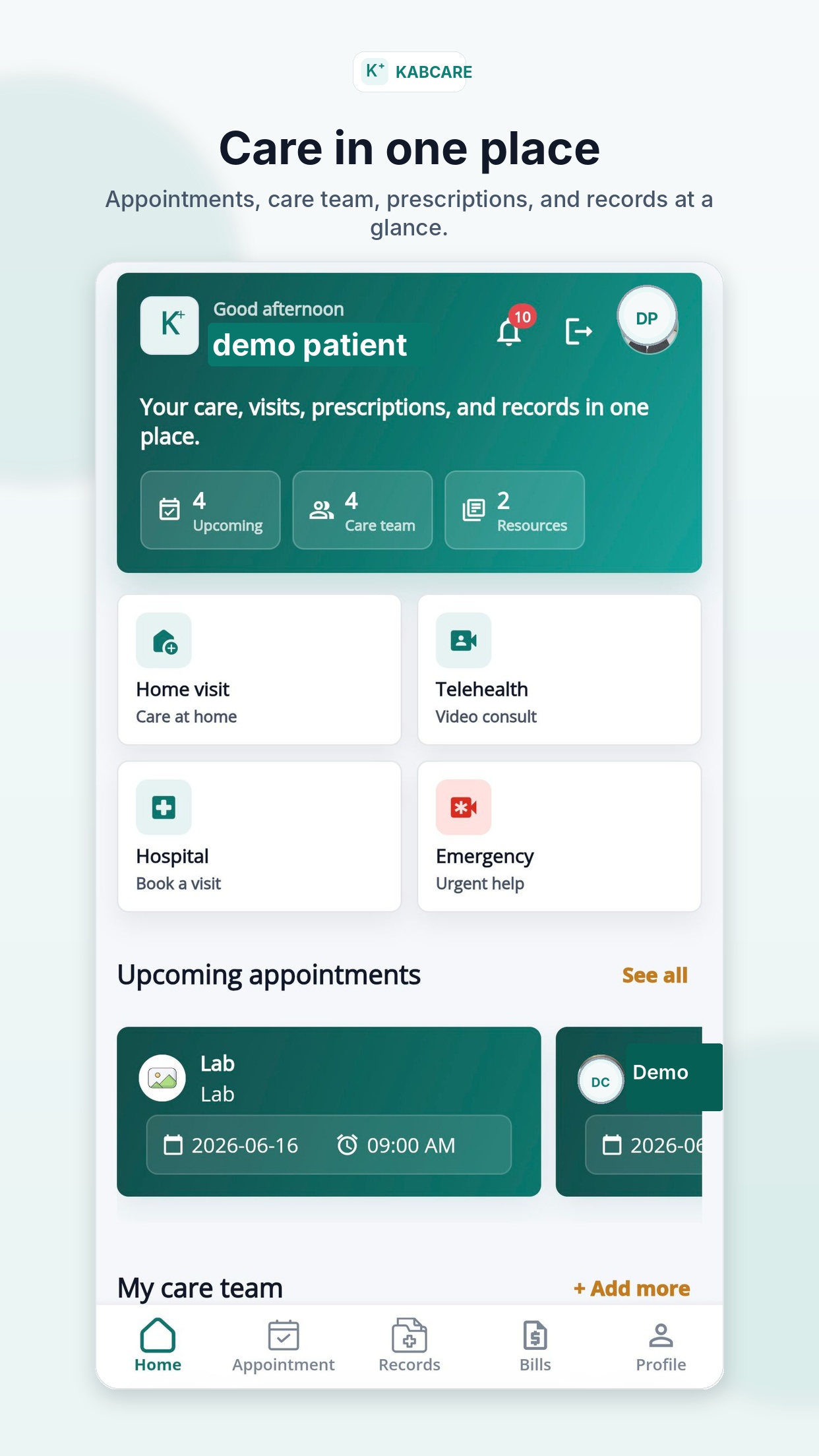
The KABCARE patient app
Your patient account keeps the parts of your care journey together so you can see what is happening without starting over with every provider.
Choose eligible services, confirm a time, and receive useful updates.
Move from doctor to lab, pharmacy, delivery, home care, or hospital when needed.
Sign in through official KABCARE channels and keep your codes and credentials private.
Your care journey
KABCARE keeps each handoff visible when care continues beyond the first appointment.
Start in the app, on the web, or with the KABCARE Short Code.
Review the patient, service, time, payment, or available coverage.
Join online or follow the confirmed instructions for in-person care.
Follow any lab, prescription, pharmacy, home-care, or referral request.
Return to your account for results, records, messages, and follow-up.
Use KABCARE confidently
KABCARE is designed to help the right people see the right information for care and support. You also play an important role in protecting your account.
Never share your password, passkey, one-time code, or payment PIN.
Enable notifications to receive appointment and care status updates.
Check the patient, provider, service, time, price, and coverage shown.
KABCARE is not a replacement for local emergency services.
Open KABCARE or dial the Short Code from a supported mobile phone.